How do I Setup Integrated Payments?
Integrated payments allow you to directly collect a ladder fee from players within the iTennisLadder. This saves you time and the hassle of collecting & tracking payments, if you charge a fee for playing in your ladder. This does not apply to free ladders where you do not charge a fee.
Ladder fees are collected immediately when players register all in one step. Payments go directly to your Stripe account as each player pays.
We partner with Stripe for handling payments. Your Stripe account must already be setup and linked with iTennisLadder. Note that we do not have access to your Stripe account. All we are permitted to do is send payments to your Stripe account.
To setup integrated payments follow these steps:
- Go to your account from the profile menu:
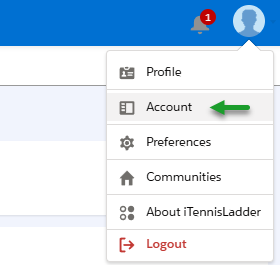
- The Account option is under your profile menu. Click on Account and go to the Integrated Payments Account section:
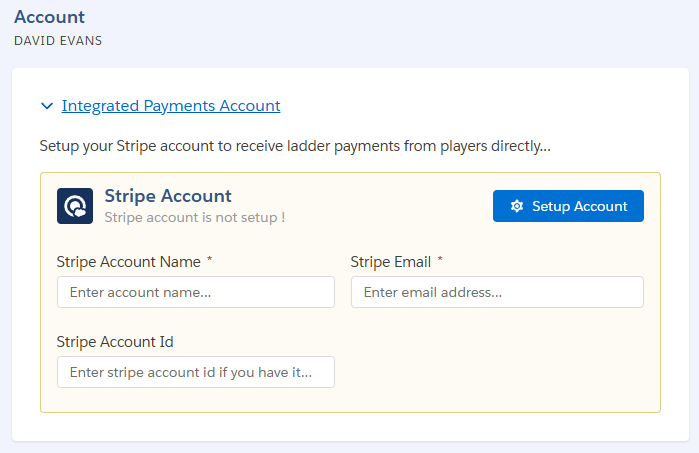
-
Fill in your account name and Stripe account email. If you have your Stripe account id enter it. Here is an example of a Stripe account id
acct_1QwlE1I876GcDsA5 -
Click on Setup Account. You will be re-redirected to your Stripe Account Setup page:
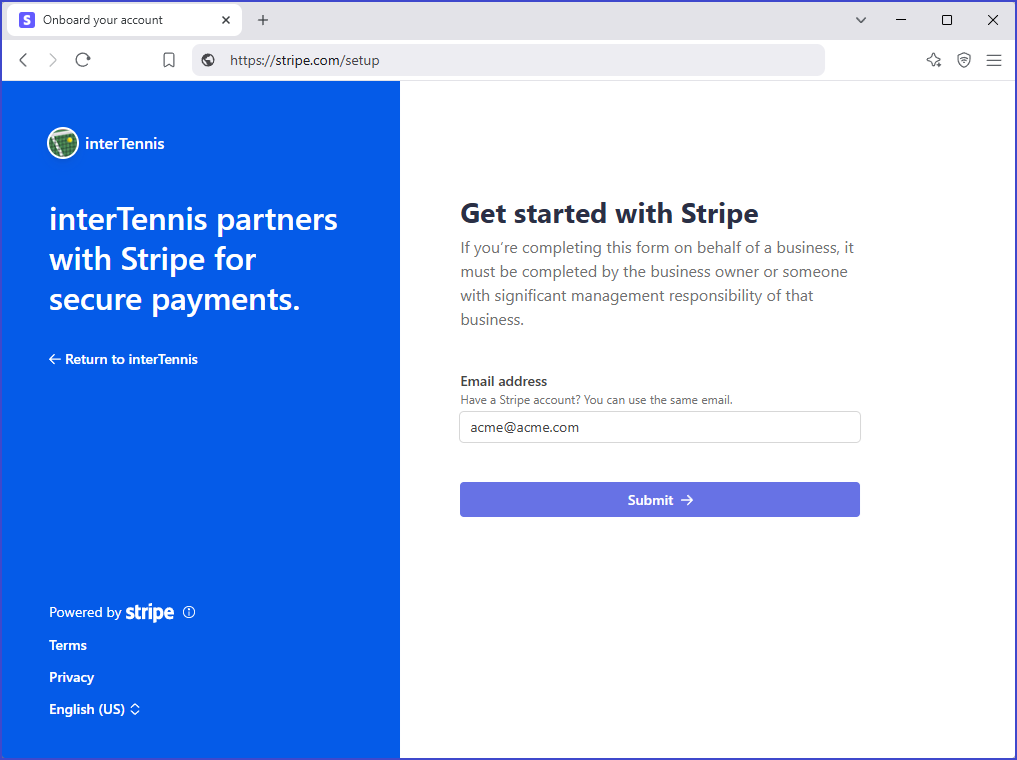
-
Complete your account setup. More details may be needed by Stripe for authentication and account verification.
-
Once your account is setup, you will be re-directed back to your account page in iTennisLadder. See Step 1 if you need to access your account page with us.
If you did not complete your account setup, you can always go back to your iTennisLadder account page and finish the setup. Note that the steps you have already completed are saved:
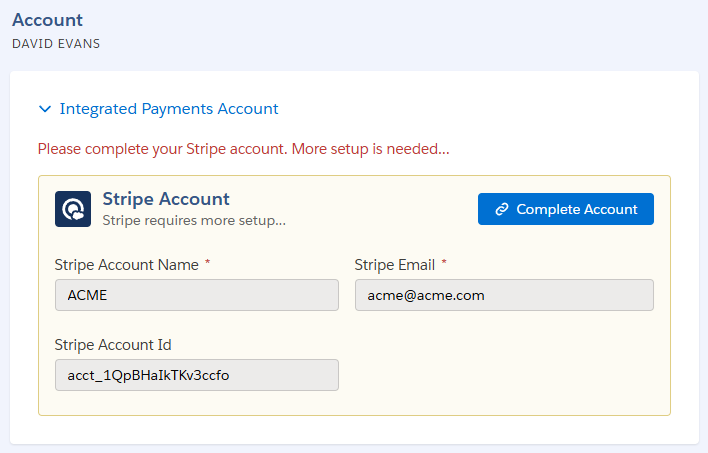
Once you have completed the Stripe account setup your payments will be collected within iTennisLadder on your behalf for paying ladders. You can setup player fees in your ladder settings: see Setup Ladder Payments & Fees.
We track each payment status and only players who have paid are admitted to the ladder. Players who did not pay are prompted for payment from:
- the ladder registration page
- the web app and mobile app in case the player did not pay during registration
The iTennisLadder manages access to the ladder based on the payment status for each player. The system also provides an easy button for players to pay. In addition, from the Players page, you have access to a:
- receipt for each successful payment
- customized payment link for each player (could be sent to the player as reminder).
As you have probably guessed, this service is not free: we collect $1 per player. The remainder of the ladder fee goes directly to your Stripe account, which is fully managed by you.